



The Business Phone System
That Has It All
UCOM PBX. Built for Every Business.
Ready for Anything.
Business Phone Systems that Work
Anywhere
Call, message and SMS using just one unified system. Get all the latest PBX features to create an outstanding caller experience and unite your team with an all-in-one business phone system from $7 per User.
Business Phone Systems that Work
Anywhere
Call, message and SMS using just one unified system. Get all the latest PBX features to create an outstanding caller experience and unite your team with an all-in-one business phone system from $7 per User.
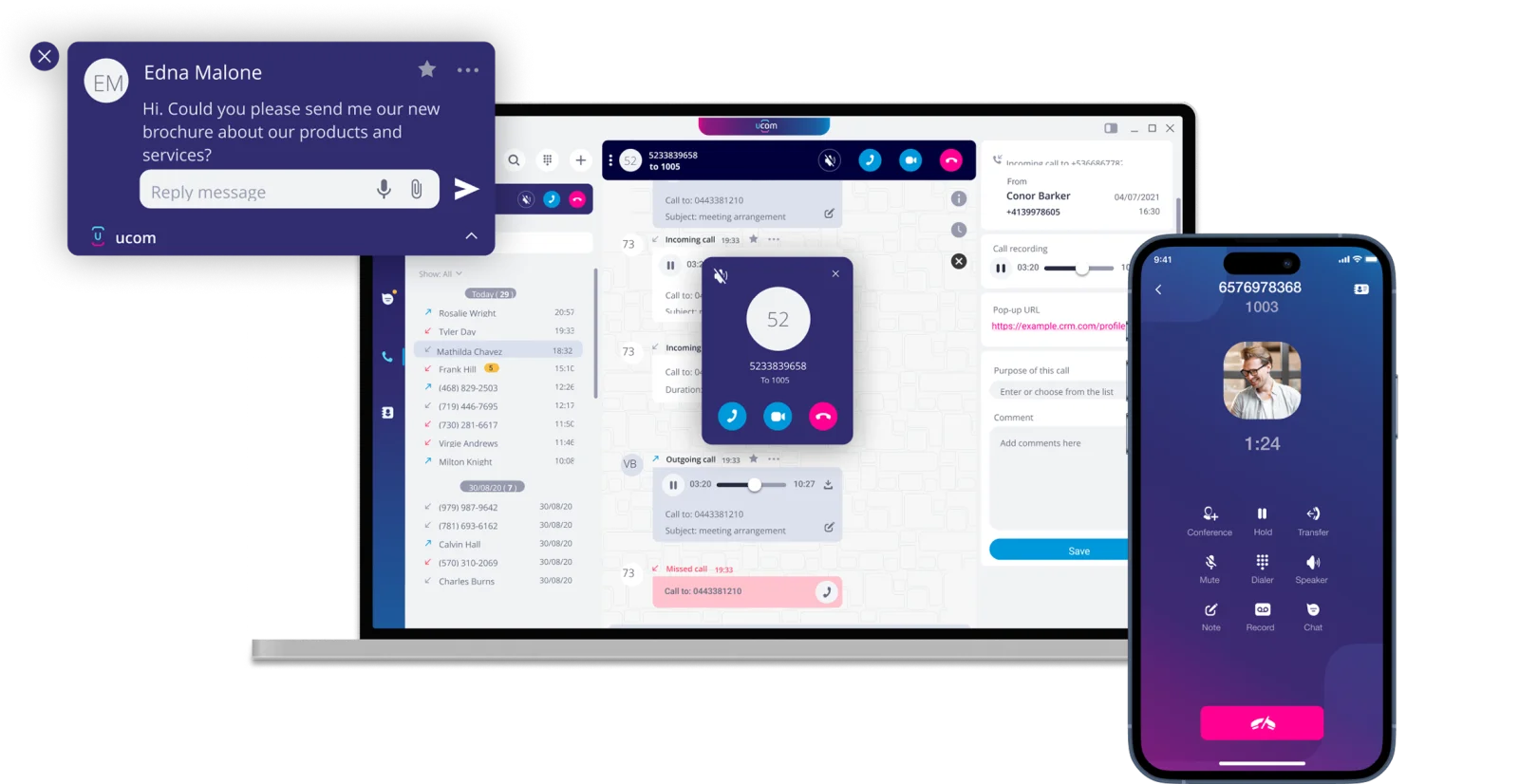
One PBX system, every conversation.
Replace fragmented communication systems with a single cloud-based business phone system. Get all the PBX features you would expect from an enterprise setup, plus built-in team messaging, business SMS and CRM integrations, all managed from one login.
Why Businesses Choose UCOM
for Their Phone System
UCOM PBX delivers unmatched flexibility. Make and receive calls from your handset, smartphone, or PC, and switch between devices with ease.
Enhance every interaction with enterprise-grade call handling features, and streamline customer management through seamless CRM integrations. Everything your business needs to stay connected and efficient.
Unmatched Flexibility
Use UCOM PBX with your handset, smartphone or PC, or swap between devices.
Enterprise Grade Features
Elevate your caller experience with advanced call handling features and functions.

CRM Integration
Streamline your customer management with seamless CRM Integrations.
PBX Packed Full of Features
Business
Phone System
Features
Every call is an opportunity, and a fully featured cloud PBX makes sure you never waste one.
With a complete set of enterprise grade features and functions, you get the tools to route calls smarter, respond faster, and never leave a customer waiting, all without the cost or complexity of an on-premise phone system.
Take control of every call with a UCOM PBX, built to improve efficiency and productivity. One PBX system, ready for wherever your business goes next. Communication made simple, in one place.
Business
Phone System
Features
Every call is an opportunity, and a fully featured cloud PBX makes sure you never waste one.
With a complete set of enterprise grade features and functions, you get the tools to route calls smarter, respond faster, and never leave a customer waiting, all without the cost or complexity of an on-premise phone system.
Take control of every call with a UCOM PBX, built to improve efficiency and productivity. One PBX system, ready for wherever your business goes next. Communication made simple, in one place.
A PBX Packed Full of Features
Call Parking

Allows a call to be placed on hold in a virtual "parking spot" so it can be picked up from any other extension.
 Call Parking
 Call Transfer
 Real Time BLF
 Input code Prompting
 Call Waiting
 Call Queuing
 Voice2 Email
 Missed Call Notification
 Call Recording
 Call Forwarding
 Hunt Group
 Listen In
 Barge In
 Auto Attendant IVR
 DND Do Not Disturb
 Time Based Routing
 CRM Integration
 Call Intro Greeting
 Extension Calling
 Change Caller ID
 SMS Integration
 Music On Hold
 Call Analytics & Reporting
 Conference CallingCall ParkingCall TransferReal Time BLFInput code PromptingCall WaitingCall QueuingVoice2 EmailMissed Call NotificationCall RecordingCall ForwardingHunt GroupListen InBarge InAuto Attendant IVRDND Do Not DisturbTime Based RoutingCRM IntegrationCall Intro GreetingExtension CallingChange Caller IDSMS IntegrationMusic On HoldCall Analytics & ReportingConference CallingCall ParkingReal Time BLFCall WaitingVoice2 EmailCall RecordingHunt GroupBarge InDND Do Not DisturbCRM IntegrationExtension CallingSMS IntegrationCall Analytics & ReportingCall ParkingReal Time BLFCall WaitingVoice2 EmailCall RecordingHunt GroupBarge InDND Do Not DisturbCRM IntegrationExtension CallingSMS IntegrationCall Analytics & ReportingCall TransferInput code PromptingCall QueuingMissed Call NotificationCall ForwardingListen InAuto Attendant IVRTime Based RoutingCall Intro GreetingChange Caller IDMusic On HoldConference CallingCall TransferInput code PromptingCall QueuingMissed Call NotificationCall ForwardingListen InAuto Attendant IVRTime Based RoutingCall Intro GreetingChange Caller IDMusic On HoldConference Calling
Unite Your Team with UCOM PBX
Your team shouldn't be switching between different apps or using their personal number to stay in touch. With a UCOM Softphone App, every employee gets a dedicated business number that works on any smartphone or laptop, making it ideal for remote or hybrid teams. And because it's per-user pricing with no hardware required, it scales up or down as your business grows.
Unite Your Team with UCOM PBX
Your team shouldn't be switching between different apps or using their personal number to stay in touch. With a UCOM Softphone App, every employee gets a dedicated business number that works on any smartphone or laptop, making it ideal for remote or hybrid teams. And because it's per-user pricing with no hardware required, it scales up or down as your business grows.
Bring your team together,
wherever they are.
Communication made simple, in one place.


Integrate SMS with Your PBX System
The UCOM Softphone App combines complete PBX capabilities with SMS messaging in one integrated solution. Communicate with customers via two-way SMS without revealing your personal number; ideal for scheduling appointments, sending order notifications, and resolving support requests. With all calls and texts recorded in one central location, you get full visibility into each customer interaction.
Integrate SMS with Your PBX System
The UCOM Softphone App combines complete PBX capabilities with SMS messaging in one integrated solution. Communicate with customers via two-way SMS without revealing your personal number; ideal for scheduling appointments, sending order notifications, and resolving support requests. With all calls and texts recorded in one central location, you get full visibility into each customer interaction.
Our SMS integration enables you to directly message your customers from your business phone number.

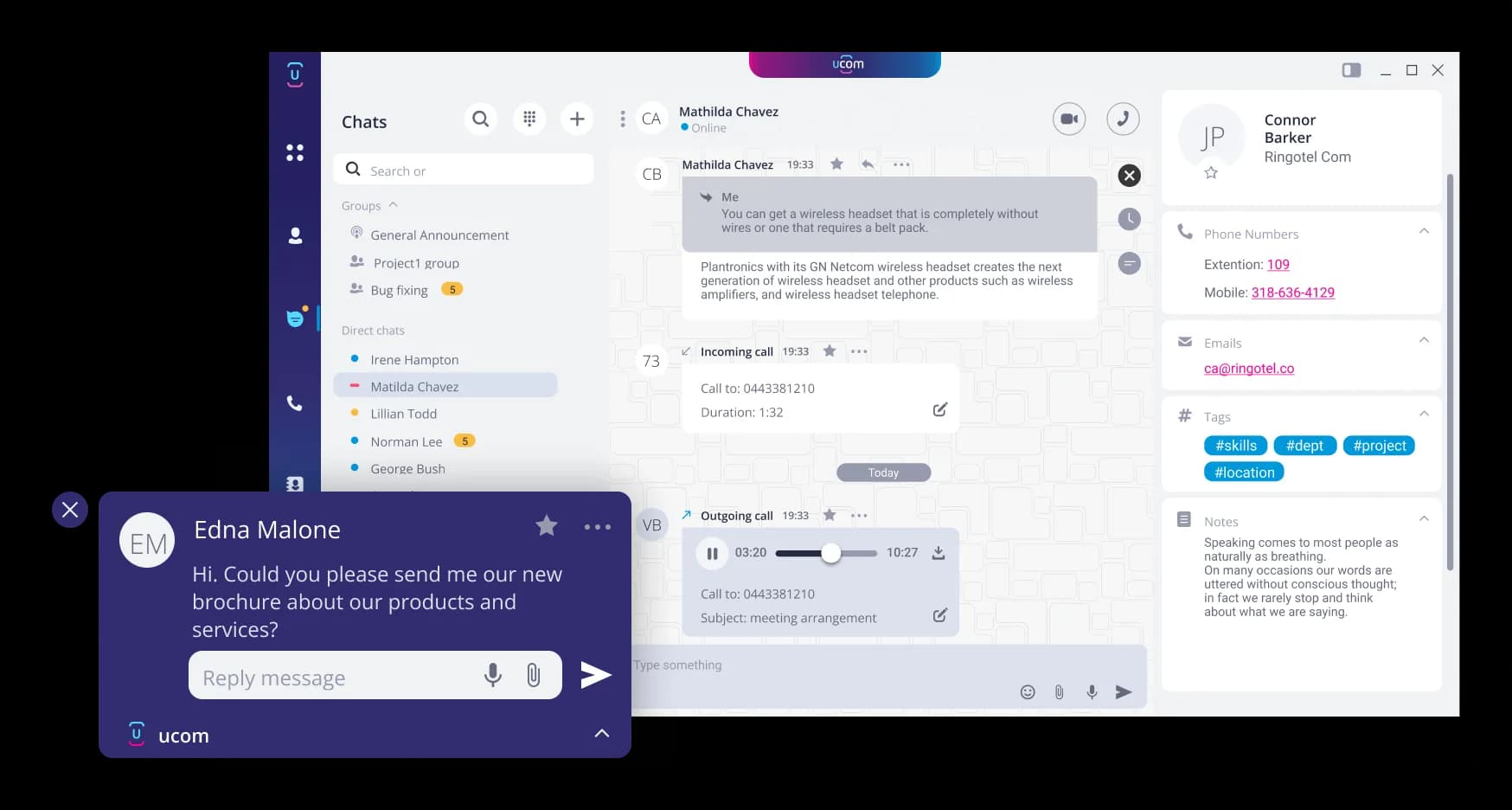

Every call and message is logged in one place, giving you a complete picture of every customer conversation.
Our Softphone App brings together full
PBX functionality and SMS messaging in
a single, unified platform.
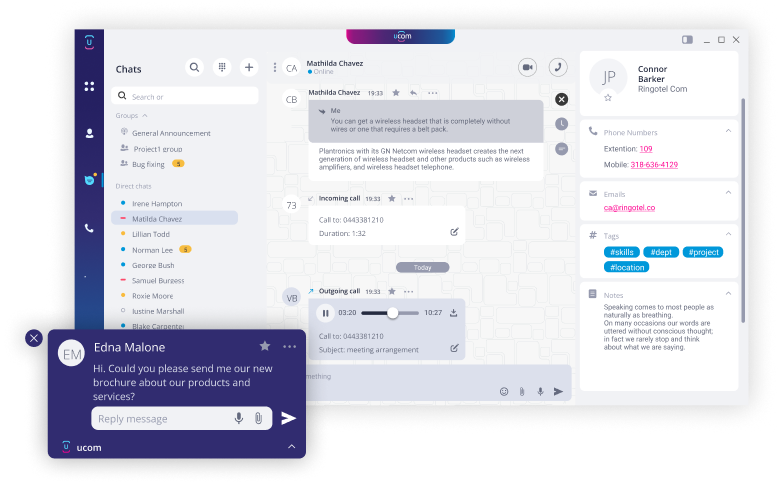
Every call and message is logged in one place, giving you a complete picture of every customer conversation.
Integrate CRM With Your PBX System
Integrate your PBX system with a wide range of CRM platforms, uniting communication and customer data in a single, streamlined workflow.
Integrate CRM With Your PBX System
Integrate your PBX system with a wide range of CRM platforms, uniting communication and customer data in a single, streamlined workflow.
Streamline Your Client Management
with CRM Integrations
Integrate your PBX system with a wide range of CRM platforms, uniting communication and customer data in a single, streamlined workflow.
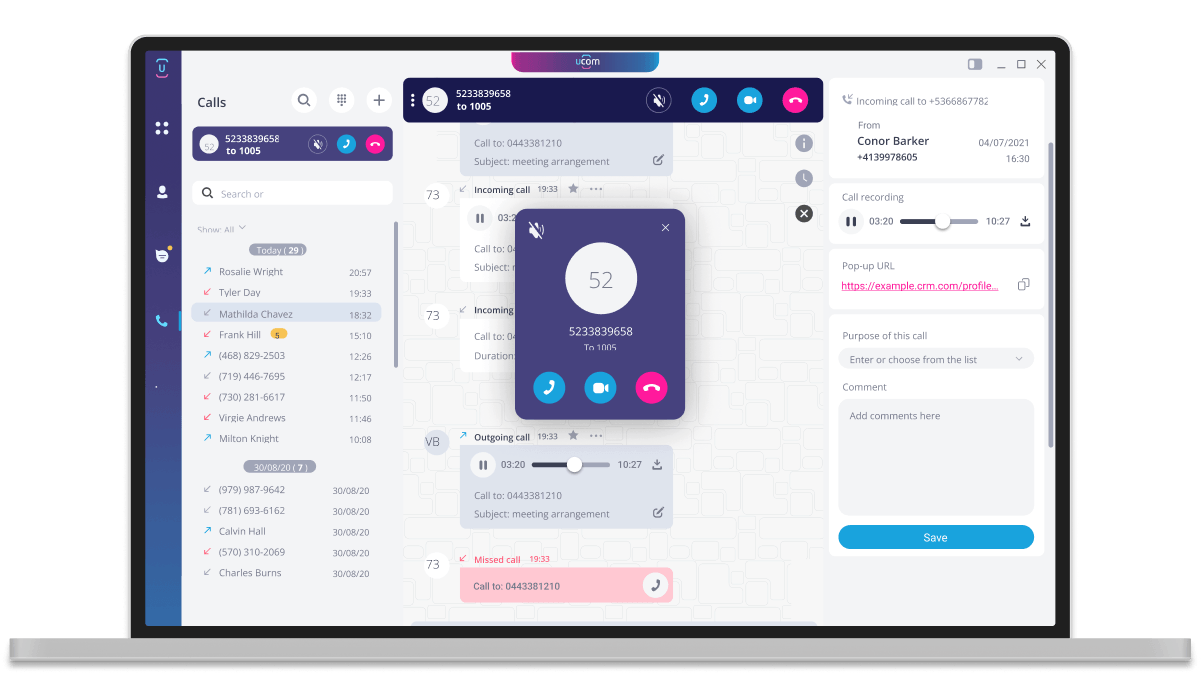







Streamline Your Client Management
with CRM Integrations
Integrate your PBX system with a wide range of CRM platforms, uniting communication and customer data in a single, streamlined workflow.
UCOM Cloud PBX Plans and Pricing
Our PBX plans offer a choice of PAYG (pay as you go) or with calls included. There are no lock-in
contracts and you can scale up or down as your business needs change.
One Phone System.
Every Way You Work.
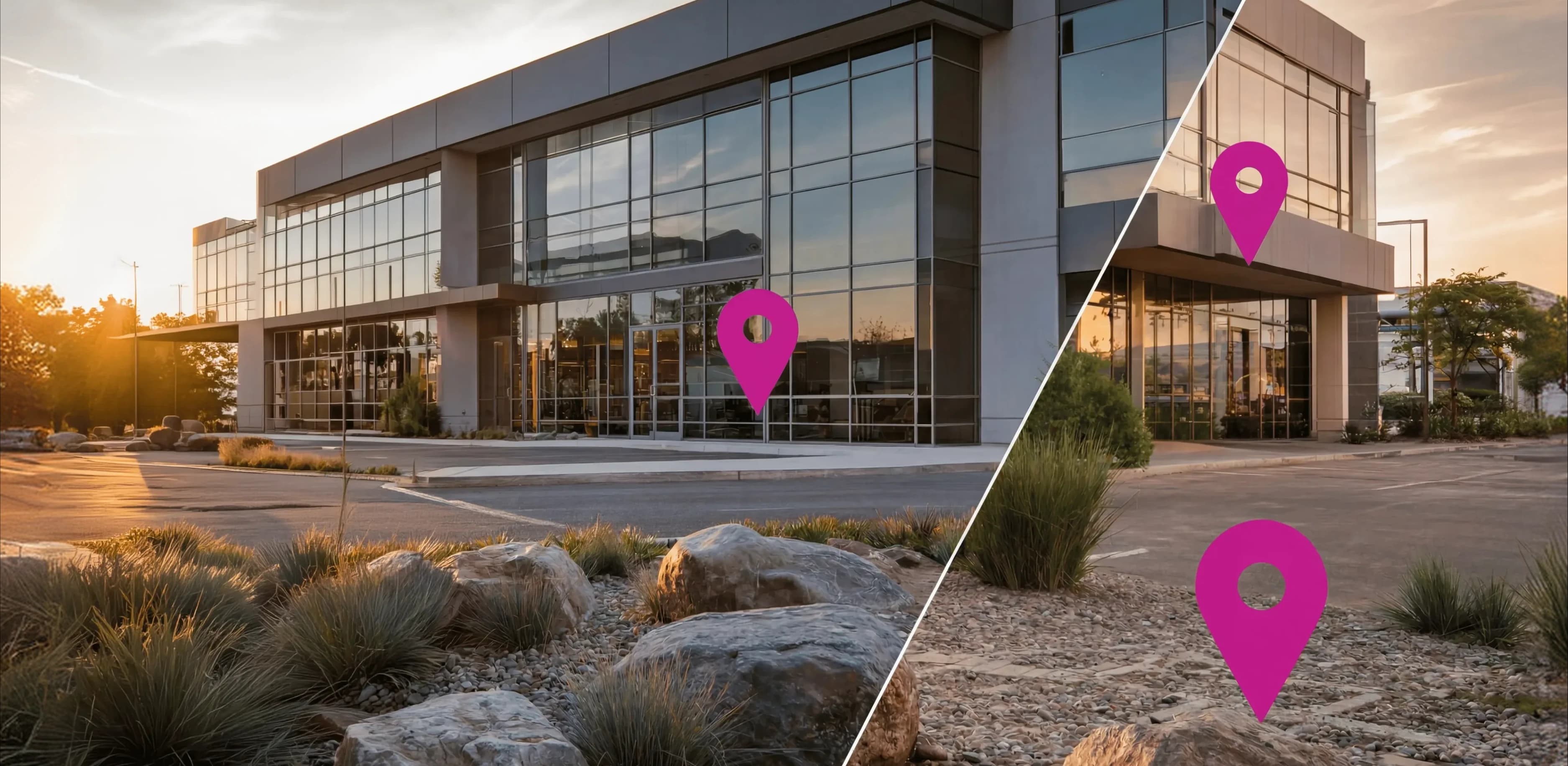
Every call is an opportunity, and UCOM makes sure you never miss one. Whether you're a sole trader working from home, a clinic juggling patient calls, a tradie on the tools or a business with offices across Australia and overseas, UCOM PBX and UCOM GO give you the same enterprise-grade phone features big companies rely on, without the complexity or the price tag.

SOHO

Remote Work

Customer Facing
Multi-Site

International

Retail

Healthcare

Online Business

Professional Services

Trades

Hospitality
Device Payment Program
Need hardware to complete your PBX system? Spend a minimum of $1000 on our hand-picked range of IP phones, routers and accessories, and spread the cost over 12 months with zero interest.
- Most Popular Desk Phone$21.58
per Month
$259 over 12 months (inc GST).
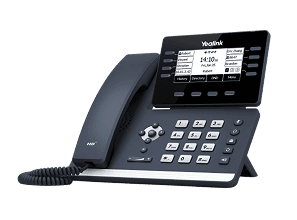 12 LinesColour LCDWi-FiPricing Includes GST
Yealink T53W
3.7" graphical LCD, 12 SIP accounts, PoE, dual-band Wi-Fi and Bluetooth 4.2
- Most Popular Router$24.91
per Month
$299 over 12 months (inc GST).
 VoIP4G BackupWiFi 6Pricing Includes GST
TP-Link VX420-G2h
WiFi 6 VDSL/ADSL router with 4G+ LTE failover, 4x Gigabit LAN, USB 3.0, VoIP, dual-band
- Most Popular Cordless Phone$21.58
per Month
$259 over 12 months (inc GST).
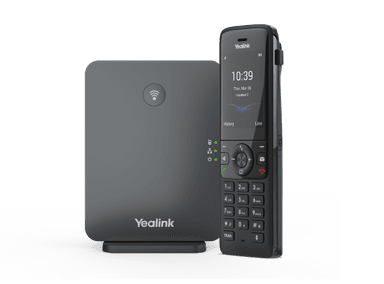 HD AudioBase + HandsetDECTPricing Includes GST
Yealink W78P
DECT base + handset, 10 SIP accounts, 20 simultaneous calls, HD audio

Australian Hosted,
Australian Supported
Australian Hosted,
Australian Supported
Your business data stays exactly where it belongs, onshore and in safe hands. UCOM PBX is hosted securely within Australia on AWS infrastructure, giving you the confidence that your communications are protected by enterprise-grade security without compromise.

From advanced encryption and strict access controls to network firewalls and regular security audits, every layer of our platform is designed to keep your business safe.

We also maintain compliance with industry standards, so you can focus on running your business knowing your phone system meets the security requirements that matter most.
Phone systems
designed to suit any
business.








From retail and hospitality to professional services and remote-first teams, UCOM PBX gives every type of business the features they need to sound professional, stay responsive, and keep their team connected.

Frequently Asked Questions
Thinking about making the switch, or just want to know more? We've answered the most common questions right here. Can't find what you're looking for? Our Team is always happy to help.
A Cloud PBX (Private Branch Exchange) is a business phone system hosted and managed over the internet rather than on physical hardware at your office. Instead of maintaining a traditional on-premise telephone switchboard, your calls and communications are handled by servers in the cloud managed by the cloud PBX provider.
A Softphone App is a software application that allows you to make and receive phone calls over the internet using a device you already own, such as a smartphone, laptop, or desktop computer. Rather than relying on a physical handset, the app replicates all the functions of a traditional phone entirely on screen. The term softphone simply combines software and phone, it's your phone system delivered as an app.
One of the biggest advantages of a cloud PBX is device flexibility. UCOM Cloud PBX is designed to work across a wide range of devices, giving businesses and their employees the flexibility to communicate from virtually anywhere. Here are the most common device types:
IP Desk Phones
These look similar to traditional office phones but connect to the internet rather than a phone line. They offer a familiar experience for using a traditional office phone while taking advantage of the full suite of enterprise grade PBX features and functions.
Softphone App (PC and Mobile)
A UCOM Softphone App can be installed on a PC, laptop and/or a Smartphone that turns that device into a fully functional phone. You can make and receive calls directly from your desktop or laptop using a headset and microphone or your smartphone and there is no physical handset required.
Conference Room Phones
Dedicated conference phones designed for group calls can be connected to a UCOM Cloud PBX, enabling multi-party meetings with features like call recording and muting.
Yes. UCOM can port your existing phone numbers across from most providers. Our support team will guide you through the process every step of the way, keeping you informed with regular updates until the transfer is complete.
Yes. Unlike many providers, UCOM PBX supports mobile numbers as a Direct In-Dial number, meaning you're not limited to traditional landline ranges when setting up your business phone system.
Not necessarily. While IP phones can be connected via a physical ethernet cable, many modern setups offer wireless alternatives. Here's a breakdown of your options:
Wired Connection (Ethernet)
Most traditional IP desk phones connect to your network using an ethernet cable plugged directly into a router or network switch. Many IP phones can draw power through the ethernet cable itself, provided both the phone and the ethernet cable has PoE (Power over Ethernet) capability. This eliminates the need for a separate power adapter.
Wi-Fi Connected IP Phones
Many modern IP desk phones come with built-in Wi-Fi, allowing them to connect to your network wirelessly. These are useful when running a cable to a desk isn't practical, though call quality can be affected by signal strength and network congestion.
PC/Mobile Softphone App
If you're using a UCOM Softphone App on a laptop, desktop PC or a smartphone, there's no wiring involved at all. These connect over your existing Wi-Fi or mobile data connection, making them completely portable.
UCOM's preferred IP phone partner is Yealink, though we can also transfer your existing IP phones across to UCOM PBX. Simply provide us with the MAC address and serial number found on the back of your device and we'll take care of the rest.
UCOM PBX can be connected using Wi-Fi. Please ensure your Wi-Fi signal is stable and secure, as a poor Wi-Fi connection can affect the call quality. When selecting an IP Phone, ensure the model you choose has Wi-Fi inbuilt. For best results, we recommend connecting your IP Phone to your network using Ethernet (data cable).
If you lose your internet connection, UCOM PBX offers an automatic failover, where calls will instantly redirect to a nominated phone number pre-programmed into the system. Team members using a mobile UCOM Softphone App can still use the system as normal through a mobile data connection.
UCOM PBX delivers a complete suite of features designed to power your business communications, your way. The key features include:
Hunt Groups: Automatically rings multiple extensions in a defined sequence or simultaneously until a call is answered.
Call Queueing: Places incoming callers in a waiting line and distributes them to available agents in order.
Auto Attendant IVR: A virtual receptionist that greets callers and routes them to the right department or extension via a menu system.
Call Parking: Allows a call to be placed on hold in a virtual "parking spot" so it can be picked up from any other extension.
Voicemail: Captures and stores audio messages from callers when a line is unavailable or unanswered.
Voice2Email: Automatically delivers voicemail recordings as audio file attachments directly to a nominated email address.
Call Waiting: Alerts an agent already on a call that another incoming call is waiting to be answered.
Call Transfer: Allows a live call to be redirected to another extension or external number, either with or without announcement.
Call Forwarding: Automatically redirects incoming calls to an alternative number or extension based on predefined rules.
Call Recording: Records inbound and/or outbound calls for compliance, quality assurance, or training purposes.
Missed Call Notification: Sends an alert via email or SMS to notify a user when an incoming call went unanswered.
Real Time BLF: Displays the live busy/idle/ringing status of extensions on a desk phone or dashboard so staff can see availability at a glance.
Call Intro Greeting: Plays a customised audio message to the caller before connecting them to an agent or queue.
Change Caller ID: Allows users to override the outbound caller ID displayed to the recipient on a per-call or system-wide basis.
DND Do Not Disturb: Temporarily blocks all incoming calls to an extension, typically diverting them straight to voicemail or an alternate destination.
Listen In: Enables a supervisor to silently monitor a live call without either party being aware.
Barge In: Allows a supervisor to join and participate in an active call between an agent and a caller.
Input Code Prompting: Prompts callers or users to enter a PIN or code during a call to authenticate, route, or unlock specific functions.
Extension Calling: Enables internal calls between users on the same PBX system using short extension numbers.
Time Based Routing: Automatically routes incoming calls to different destinations based on the time of day, day of week, or public holidays.
CRM Integration: Syncs call activity with your CRM platform to log calls, trigger screen pops, and link interactions to customer records.
SMS Integration: Enables sending and receiving SMS messages through the PBX platform, keeping business text communications centralised.
Out of the box, UCOM PBX connects with HubSpot, Zoho, and Salesforce. But our CRM compatibility doesn't stop there. Contact us to find out if your platform is supported.
Both are cloud-based business phone systems built on the same PBX technology, sharing core features like IVR, call recording, hunt groups, call queues, CRM integrations and two-way SMS. The difference comes down to who they're built for and how they're set up.
UCOM GO is a mobile-first PBX designed for freelancers, remote workers and growing teams who want to run their business straight from a smartphone or PC. It needs no dedicated hardware and has a minimum of just 1 user, so it suits sole traders and small teams. The softphone app is included as standard, and GO+ plans bundle in an IP phone (cordless, business or executive handsets) if you want physical hardware. It's also geared for working from anywhere in the world, with your Australian landline number always showing as your caller ID.
UCOM PBX is the fuller office-grade system aimed at established businesses wanting a complete enterprise setup. The per user rate is cheaper than UCOM GO but requires a minimum of 3 users, and the softphone app is a $3 add-on rather than included. It supports hardware IP phones via a Device Payment Program, and is positioned for businesses that may mix desk phones with softphones.
In short: choose UCOM GO if you want a flexible, mobile, hardware-free system that scales from a single user, and choose UCOM PBX if you're a larger or office-based team wanting a fully featured traditional phone system with modern, advanced features and functions.
Absolutely. UCOM PBX is built to manage high call volumes with ease, using a full suite of enterprise-grade call-handling features that make sure no call ever goes unanswered. IVR menu prompts and auto-attendant route callers to the right person or department automatically, while call queuing holds callers in line and connects them in order as your team becomes available. Hunt groups distribute incoming calls across multiple team members so the load is shared, and time-of-day routing directs calls based on your business hours. Combined with tools like music on hold, call park, call transfer and missed call notifications, the system keeps everything flowing smoothly even during your busiest periods, so you can route calls smarter, respond faster, and never leave a customer waiting.
For most small businesses today, the best phone system is a cloud PBX. Rather than installing and maintaining a physical PBX in your office, a cloud PBX runs over your internet connection and is managed by your provider, so you get enterprise-grade call handling without the upfront hardware cost, ongoing maintenance or long-term contracts of a traditional on-premise system. When comparing options, these are the things that matter most for a small business:
Cost and Flexibility: look for per-user pricing with no lock-in contract, so you only pay for the seats you need and can scale up or down as your team changes.
Professional Call Handling: features like an Auto Attendant IVR, call queues, hunt groups, time-based routing, music on hold and voicemail to email let a three-person business sound and operate like a much larger one, and make sure no customer call goes unanswered.
Work from Anywhere: a softphone app for smartphones and laptops means staff can make and receive calls on their business number from the office, home or on the road, without giving out personal mobile numbers.
Integration with the Tools You Already Use: CRM integrations with platforms such as HubSpot, Zoho and Salesforce, plus Microsoft Teams, Slack and two-way business SMS, keep every customer conversation logged in one place.
Reliability and Security: choose a provider that hosts your data onshore in Australia and offers automatic failover to a nominated number if your internet drops out, so your business never goes offline.
Local Support: Australian-based support and help porting your existing numbers across make the switch simple and low-risk.
UCOM PBX ticks all of these boxes, with a full suite of enterprise-grade features, a choice of PAYG or included-call plans, and the option to use IP desk phones, the UCOM Softphone App, or a mix of both. If you're a sole trader or a team of one or two who want a mobile-first, hardware-free system, UCOM GO may be the better fit; for office-based teams of three or more wanting a complete business phone system, UCOM PBX is the ideal choice. Book a demo and we'll help you work out which option suits your business best.