





Connect Your Team. Serve Your Clients Better.
PBX Solutions for
Service Based
Businesses
Book a demo with one of our PBX experts and find out what UCOM PBX can do for your business.
Book a demo with one of our PBX experts and find out what UCOM PBX can do for your business.
Built to Elevate Every Client Relationship
For service-based businesses, every call needs to be answered, routed, and handled professionally; and the right PBX system makes that happen. With smart call routing, Auto Attendant, CRM Integration, and Call Recording working together, communication is streamlined and client experiences are elevated. It's more than a phone system; it's the backbone of a well-run service business.
Built to Elevate Every Client Relationship
For service-based businesses, every call needs to be answered, routed, and handled professionally; and the right PBX system makes that happen. With smart call routing, Auto Attendant, CRM Integration, and Call Recording working together, communication is streamlined and client experiences are elevated. It's more than a phone system; it's the backbone of a well-run service business.
UCOM PBX Solutions
See how UCOM PBX can support your professional services business. CLICK on the requirement to reveal our solution.

Professional Call Handling
Service-based businesses thrive when every caller is greeted consistently, routed efficiently, and helped promptly. Every call is a chance to strengthen credibility and earn lasting loyalty.
Our Solution

UCOM PBX Features
Every call is an opportunity, and a fully featured cloud PBX makes sure you never miss one. Route calls smarter, respond faster, and keep customers engaged with enterprise-grade tools, minus the cost and complexity of an on-premise system. UCOM PBX puts you in control of every conversation, boosting efficiency and productivity as you go. One system, ready for whatever comes next. Communication made simple, all in one place.

 IVR Menu Prompts
 Time of Day Routing
 Voice2Email
 Hunt Groups
 Call Queuing
 Inter-Account Calling
 Input Code Prompting
 Call Recording
 Call Park
 Busy Lamp Fields
 Call Transfer
 Missed Call Notifications
 Call Forwarding
 Call Waiting
 Listen In
 Barge InIVR Menu PromptsTime of Day RoutingVoice2EmailHunt GroupsCall QueuingInter-Account CallingInput Code PromptingCall RecordingCall ParkBusy Lamp FieldsCall TransferMissed Call NotificationsCall ForwardingCall WaitingListen InBarge InIVR Menu PromptsVoice2EmailCall QueuingInput Code PromptingCall ParkCall TransferCall ForwardingListen InIVR Menu PromptsVoice2EmailCall QueuingInput Code PromptingCall ParkCall TransferCall ForwardingListen InTime of Day RoutingHunt GroupsInter-Account CallingCall RecordingBusy Lamp FieldsMissed Call NotificationsCall WaitingBarge InTime of Day RoutingHunt GroupsInter-Account CallingCall RecordingBusy Lamp FieldsMissed Call NotificationsCall WaitingBarge In
Book a Demo to see what UCOM PBX can do for your business.
Every client call is an opportunity to build trust, resolve an issue, or secure repeat business. UCOM PBX gives you the tools to handle each call professionally. Book a demo today and see how better calls lead to better outcomes.

Frequently Asked Questions
Everything you need to know about UCOM PBX for service based businesses.
UCOM PBX is a cloud-based business phone system. It gives your business enterprise-grade call handling, including call routing, queuing, recording and CRM integration, without the cost and complexity of an on-premise system. Everything is managed in one place, so there's no PBX hardware to maintain in your office.
For accountants, lawyers, consultants, agencies and other service-based firms, the phone is often the first point of contact with a client. A PBX makes sure every call is greeted consistently, routed to the right person and handled promptly, which builds credibility and helps you keep clients for the long term.
Calls are handled with intelligent call routing, an Auto Attendant, IVR menu prompts and Call Queuing. Callers can choose the team or person they need, and Time of Day Routing sends calls to the right place during business hours, after hours and on public holidays.
Yes. Hunt Groups ring a group of staff so the call is picked up by whoever is available, Call Queuing holds callers until someone is free, and Missed Call Notifications and Voice2Email (voicemails delivered to your inbox) mean you never miss a call.
Yes. You can set up a Business Intro greeting and On-Hold Messaging, so every caller hears a professional, branded message that reflects your business, whether that's a welcome, office hours or information about your services.
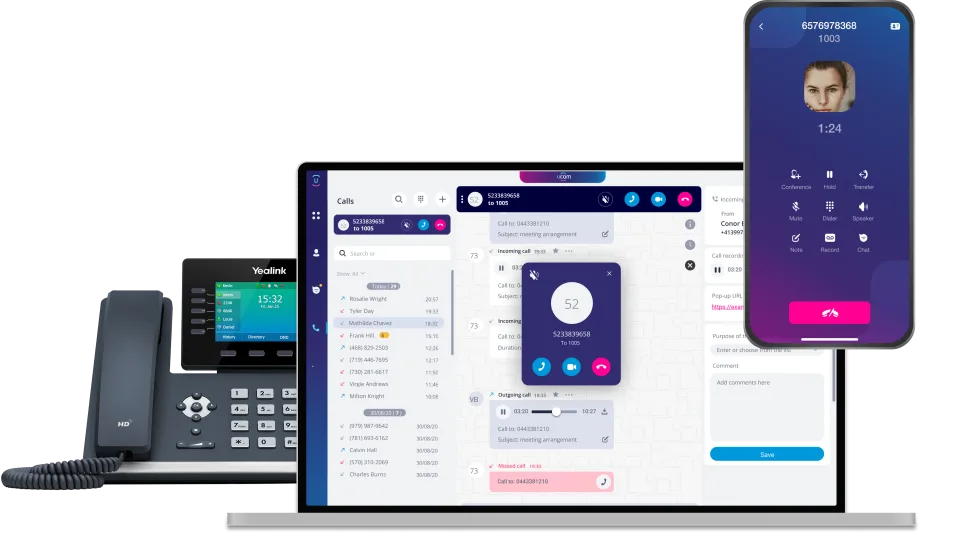
Yes. With the UCOM Softphone and mobile app, staff can make and receive business calls from their desktop, laptop or mobile, whether they're in the office, working from home or on-site with a client. Callers see your business number, not a personal mobile. Hot desking is also supported for shared office spaces.
Yes. Multiple sites can be managed under one unified system, and Inter-Account Calling lets staff in different locations call each other directly and toll-free. Calls can be transferred between offices as if everyone were in the same building.
Yes. CRM integration is available so client interactions are linked to your existing records. Your team can see who's calling and deliver faster, more personalised service. To check if UCOM PBX integrates with your CRM, make an online enquiry or contact one of our Account Managers on 1800 008 266.
Yes. Call Recording is built into UCOM PBX, so you can record inbound and outbound calls for training, quality assurance, record-keeping and resolving disputes. Recordings are stored securely and can be accessed by authorised users when needed.
If you record calls, your business is responsible for making sure it does so lawfully. In Australia, the key things to know are:
- Tell callers they are being recorded. Recording laws differ between states and territories, and some (including NSW, WA, SA, Tasmania and the ACT) generally require the consent of everyone on the call. The simplest way to stay on the right side of every state's rules is to let callers know at the start of the call. With UCOM PBX, you can add a short notice to your Business Intro, for example: "Calls may be recorded for quality and training purposes." For outbound calls, staff should tell the other person before recording begins.
- Only use recordings for the purpose you stated. If you tell callers recordings are for quality and training, don't use them for unrelated purposes without consent.
- Keep recordings secure. Limit access to staff who genuinely need it and delete recordings once you no longer need them.
Please note that this information is general in nature. We recommend getting independent legal advice on your specific obligations.
Supervisors can use Listen In to monitor calls for coaching and Barge In to join a call when needed. Busy Lamp Fields show at a glance who is available, and Call Park, Call Transfer, Call Forwarding and Call Waiting help your team move calls around smoothly.
Yes. You can bring your existing business numbers across to UCOM PBX, including landline numbers, 1300 and 1800 numbers, and mobile numbers, so your clients can keep reaching you on the numbers they already know. Moving a number from one provider to another is called porting, and our team manages the process for you.
Very little. Because UCOM PBX is a cloud phone system, there's no PBX box to install or maintain in your office. All you need is:
- A reliable internet connection. Calls run over your internet, so a stable business-grade connection gives the best call quality. If you need one, UCOM also offers business nbn® plans.
- A device to make and receive calls. Your team can choose whatever suits the way they work:
- The UCOM Softphone app on a desktop, laptop, iPhone or Android phone. Using a Softphone means that users can take calls straight away without any extra hardware. A headset is recommended for the best experience on a computer.
- Desk phones for staff who prefer a traditional handset. You can buy IP phones through the UCOM Shop, and in many cases existing SIP-compatible IP phones can be reused.
Many firms use a mix: desk phones for reception and office-based staff, and the Softphone app for team members working from home or visiting clients.
Not sure what's right for your business? Book a demo or enquire online and we'll recommend a setup based on your team size and how they work.
Pricing depends on the size of your team and the features you need. You can see our current plans on the UCOM PBX page, or book a demo and we'll help you choose the right setup.
Book a demo or enquire online and one of our Account Managers will walk you through the system, discuss your requirements and tailor a solution to suit your business. You can also call us on 1800 008 266.